Showing posts with label toshiba. Show all posts

Toshiba Chromebook 2 Review

on Tuesday, November 11, 2014
Toshiba is fairly new to Chromebooks, only having launched its first Chrome OS laptop earlier this year, but the company is already gearing up to launch a second, more premium version. The Chromebook 2, announced earlier this week at IFA in Berlin, swaps the low resolution screen of the original for a 1080p panel and fanless Intel Celeron processor for silent running. We got an early look at it ahead of its UK launch next year, in order to bring you some first impressions.

Little appears to have changed from the original Chromebook in terms of design; the Chromebook 2 has the same textured white plastic lid and grey, matt metal effect body that borrows heavily from Apple's MacBook Air. Toshiba has thinned it down significantly, however, so it's both smaller and thinner than its predecessor. It only weighs 1.3Kg, so should be light enough to take on the move without having to ditch anything from your bag first.

Toshiba Qosmio X75 Review

on Sunday, November 2, 2014
The Good The Toshiba Qosmio X75 comes packed with an Intel Haswell CPU, new Nvidia graphics, a combo SSD/HDD drive, and even a Blu-ray writer.
The Bad The bulky design has a budget feel for a premium-price laptop, battery life is disappointingly short, and the laptop lacks newer features such as DisplayPort, Thunderbolt, or even a touch screen.
The Bottom Line Toshiba's multimedia and gaming Qosmio X75 laptop gets great performance from its high-end components at a reasonable price, but the design and some features feel dated.
Some things in the PC universe can change a lot in a short period of time. We're now living in a world of touch screens, detachable keyboards, and 12-plus hours of battery life. Other things remain stubbornly the same, much like the Toshiba Qosmio X75, a thick throwback of a laptop packed with high-end CPU and GPU parts, a flashy red-accented body, and a lack of modern concessions (no touch screen here).

But, that's not to say sticking to your guns is necessarily a bad thing. Instead of a throwback, we might call the X75 a stoically traditional desktop replacement laptop. Sure, the design may have gotten a tweak or two, and the last couple of Qosmio generations are a little thinner and lighter than the models from a few years ago, but this is still a classic anchored-to-the-desk 17-inch laptop -- a category with fewer players right now than any time in recent memory.
The main difference between the new X75 and the X875 , which was itself only launched at the beginning of 2013, is the move to the latest generation of Intel and Nvidia parts. This system has a fourth-gen quad-core Core i7 CPU , plus Nvidia's new GeForce 770M GPU, putting it fairly close to the top of the heap in performance. You could spec out more expensive systems with more bells and whistles from Alienware, Origin PC, and others, but the Qosmio is more interested in riding the line between gaming rig and multimedia machine (hence the recordable Blu-ray drive in our configuration).
This specific config, the X75-A7298, is $1,799, and includes the Intel Core i7-4700, the Nvidia GeForce 770M, a Blu-ray burner, 16GB of RAM, and a 1TB hard drive/256GB solid-state drive (SSD) storage combo. If you can skip a few frills, the exact same CPU/GPU combo is available for $1,199, but without the Blu-ray, SSD, and so on. In terms of performance, I've got no complaints about the value here. On the other hand, especially for $1,799, but even at $1,199, this is essentially a big aluminum-and-plastic box that feels "budget" in the hand. Everything, from the clacky keyboard to the shiny red highlights, feels a bit subpremium. At least these don't have painted-on flames anymore. And don't get me started on a 2013Windows 8 laptop, even one intended for gaming, not having a touch screen.
If I could insert the Qosmio X75's internal components into a nicer body, with a touch screen and a silent keyboard, I'd buy one today. Instead, what we have is the guts of a great 2013 laptop at reasonable price, stuck in a body that feels a few years out of date.
Design and features

In look and feel the X75 is close to, but not exactly the same as, the recent X875 model we reviewed in April . It still features a diamond-textured aluminum shell, but the light-up Qosmio logo on the lid has been moved from the center to the lower left corner. The metallic red accents have been toned down a tiny bit (no more red hinges), but you'd have to compare the X875 and newer X75 side by side to really tell them apart.

Thin and minimalist, this is not. Nor is it the wild abandon of, say, an Alienware gaming laptop with its crazy multicolor light show. Instead we're stuck in the aesthetic middle ground, or at least what the middle ground looked like before ultrabooks.

Of course, a big part of the advantage of a giant laptop is that there's plenty of room for a large keyboard and big touch pad, with few concessions to space requirements. In this case, we get Toshiba's generous flat-topped keyboard -- a style that has not noticeably changed in a couple of years -- plus a full-size separate number pad. The typing experience is good, but the keys are little on the clacky side. Toshiba laptops also have oddly short spacebars, which I always find contributes to typing mistakes. The keys themselves are backlit -- in Toshiba red, of course, and the function keys are reversed, which means you don't have to hold down the Fn key to access the volume, brightness, and other controls on the F1 to F12 keys.
The large touch pad is a clickpad-style one, without separate left and right mouse buttons. There's plenty of room for multitouch gestures, but at the same time, I found myself frequently accidentally triggering Windows 8 swipes when my fingers wandered too close to the edges of the pad. Hopefully, as a gamer, you'll have a mouse plugged in full time.
The 17.3-inch display, which runs at 1,920x1,080 pixels, is not a touch screen, a serious omission because Windows 8, especially in its tile-based UI view, is much easier to navigate with a few strategic finger swipes directly on the screen. To be fair, none of the gamer-targeted laptops we've seen this year have had touch screens, and there seems to be a real reluctance to marry discrete GPUs with touch screens so far.
That said, the screen itself looks great playing HD video, running games, and displaying Web content, even from off-axis views, although it's very glossy and you may have to shift it a bit to avoid glare.
The Harman Kardon speakers, a Toshiba mainstay, are excellent for a laptop, with good volume and punch. Laptop speakers will never push all that much bass, but for gaming and movie watching this'll fill a small room.
The 17.3-inch display, which runs at 1,920x1,080 pixels, is not a touch screen, a serious omission because Windows 8, especially in its tile-based UI view, is much easier to navigate with a few strategic finger swipes directly on the screen. To be fair, none of the gamer-targeted laptops we've seen this year have had touch screens, and there seems to be a real reluctance to marry discrete GPUs with touch screens so far.

That said, the screen itself looks great playing HD video, running games, and displaying Web content, even from off-axis views, although it's very glossy and you may have to shift it a bit to avoid glare.
The Harman Kardon speakers, a Toshiba mainstay, are excellent for a laptop, with good volume and punch. Laptop speakers will never push all that much bass, but for gaming and movie watching this'll fill a small room.

Toshiba Satellitte C640 Review

on Thursday, October 30, 2014

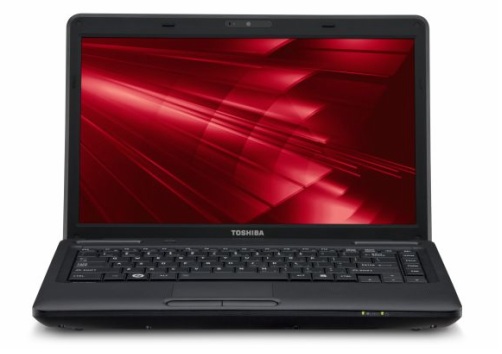
Toshiba Satellite C640-1001U

Specifications

Toshiba Satellite C640-1001UNotebook: Toshiba Satellite C640-1001U
Processor: Intel Pentium P6000
Graphics Adapter: Intel Graphics Media Accelerator (GMA) 4500M
Display: 14.0 inch, 16:9, 1366x768 pixels, glossy: yes
Weight: 2.2kg
Price: 700 euro


Comment

Intel Graphics Media Accelerator (GMA) 4500M: The graphics core of the Intel GL40 and GS40 chipset features a slower clocked GMA 4500MHD (400 versus 533 MHz). Because of the slower core speed, full Blu-Ray Logo support is not given and the gaming performance is a bit worse.
Only some 3D games with very low demands are playable with these cards.
» Further information can be found in our Comparison of Mobile Graphics Cards and the corresponding Benchmark List.

P6000: The Pentium P6000 is an entry level CPU based on the Arrandale core. Compared to the Celeron P4500, the P6000 offers a bit better performance due to the faster System Bus and an increased Level 3 cache. However, VT-x is not available for the P6000.» Further information can be found in our Comparison of Mobile Processsors.

Toshiba Satellite Click 2 Review

on Wednesday, October 22, 2014
Toshiba is one of those companies that dares to experiment with the shape of laptops. Just looking at the the company's small portfolio of convertible laptops alone we've have theSatellite U920T with a screen that slides into place and the screen flipping Satellite Radius. While many of these designs are novel, many of them have fallen to the wayside being either too weird or unwieldy for its own brilliance.

Now Toshiba has just updated one of its only hybrid designs to get a second pass with the Toshiba Satellite Click 2. Sporting a detachable screen, the Click 2's splits into a thick 13.3-inch tablet and exceptionally thin keyboard base. Compared to the last model, Toshiba has refreshed its laptop-tablet with slightly news looks, and more importantly, a more powerful Intel Pentium processor. Now the question is if this is enough to fix the ills of the original Click or is this the Click 2 destined to fade into obscurity like so many hybrids before it.

Design

The Click 2 is an odd looking laptop. With a screen three as times thick as its keyboard base, it looks lopsided compared to your traditional notebook. A friend even asked me whether the laptop was upside after placing it on a desk.
While the Click 2 is rather top heavy, the hinge is strong enough to hold the screen in place - that is when it's sitting flat desk. Trying to type with the Click 2 sitting on my lap causes the display to wobble back and forth, though, not violently enough to cause the machine to tumble away from me.


Compared with the previous Toshiba Click, this new model is decidedly squarer especially on the bottom edge of the screen. This is flat base allow the screen to stand up when its not sitting on its base. Unfortunately the Click 2 does come with kickstand, so you'll often look down at the screen, unless the you place the hybrid on a particularly tall, neck-high surface.
It's also awkward to wrap your hands around the wide 13.3-inch tablet-laptop. Hold it horizontally and your hands are constantly split at a chest's width. Turn the device vertically and the tablet tips away from you as its edges dig into your palms. Toshiba has also made a poor design choice by placing the speakers on the backside of the screen exactly where you rest your fingers whilst holding the tablet.
One of the strangest things about the Click 2's design is the majority of its ports are located on the sides of the display including the mini-HDMI, SD card slot, and USB 2.0 port. It would have made a lot of sense to keep the inputs located on the laptop base, as you probably won't be plugging in a mouse or hooking it to a TV while your hands are busy holding the device and tapping on the touchscreen.

Specifications

Weighing in at 4.85 pounds, the Click 2 is one of the heaviest convertible laptops even compared to equally sized, 4.2 pound Asus Transformer Book TX300. The Asus is even thinner measuring 13.30 x 9.40 x 1 inches while the Toshiba's dimensions are 9.10 x 13 x 1 inches. Unsurprisingly the 11.6-inch Lenovo Yoga 2 11 is the smallest hybrid, measuring 11.7 x 8.12 x 0.67 inches and weighing 3.19 pounds.
Here is the Toshiba Satellite Click 2 configuration given to TechRadar:

Spec Sheet

  • CPU: 2.16GHz Intel Pentium N3530 Processor (2MB cache, up to 2.58 GHz with Turbo Boost)
  • Graphics: Intel HD Graphics
  • RAM: 4GB DDR3L 1600MHz
  • Screen: 13.3-inch 1366x768 LED Backlit 10-point Touchscreen IPS Display
  • Storage: 500GB HDD (5400rpm, Serial ATA)
  • Ports:1 x USB 2.0, 1 x USB 3.0, mini-HDMI, headphone and microphone combo jack, Kingston lock, AC adapter, SD card slot
  • Connectivity: Intel Dual Band Wireless-AC 3160 with Bluetooth 4.0
  • Camera: HD 720p webcam
  • Weight: 4.85 pounds
  • Size: 9.10 x 13 x 1 inches (W x D x H)
Like what you see? Well, good then, because this is the only configuration the Toshiba Satellite Click 2 comes in other than the higher-end Pro version made with an aluminum body. The Click 2 has been on sale for a while and as a result it can be picked for a cool $499 (about £310, AU$569) at Best Buy.
The Lenovo Yoga 2 11 for also goes for an affordable $499 (about £310, AU$569) on Amazon as well. The Lenovo hybrid also matches the Toshiba with the same Pentium N3530 CPU and 8GB of RAM, plus the a little speed boost thanks to the 500GB hybrid drive with an 8GB SSD cache. Asus Transformer Book TX300 by comparison is in a whole other class of premium; equipped with a Ivy Bridge Intel Core i7 3517U processor and a 128GB SSD on top of its 500GB hard drive, this suave aluminum hybrid can be had for $1,099 at TigerDirect (about £683, AU$1,254).