Showing posts with label notebook. Show all posts

Lenovo Z40 Review

on Monday, November 24, 2014
There are literally hundreds of laptops available today, offering consumers a bewildering array of choices. Yet, with some exceptions, the basic technology within each is quite similar.
Intel CPUs are most common, and when discrete graphics make an appearance, the GPUs are usually from Nvidia as opposed to AMD. Even displays are made of a few core technologies built by a handful of panel manufacturers.


As a result, we sometimes receive two systems from different manufacturers that seem like long lost twins, and that’s certainly the case with Lenovo’s IdeaPad Z40, and the Acer Aspire E5 14-inch. We reviewed the latter several weeks back.
Like the Aspire E5 14-inch, the Z40 offers an Intel Core i5 dual-core processor, Nvidia GeForce 820M graphics, and a 500GB mechanical hard drive. Even the displays, both of which measure 14 inches diagonally and offer 1366×768 resolution, are very similar.
On top of that, the price tags for these systems are almost identical. The Z40 is $589, while the Acer Aspire E5 14-inch costs $599.
At first glance then, the two seem almost interchangeable. However, there can only be one winner.

Black, black, and more black

Back in 2012, Lenovo briefly took a leadership position in budget laptop aesthetics, offering a wide variety of colors for many notebooks, including entry-level models. However, for whatever reason, the company has taken an entirely different direction over the last year. Most of its entry-level systems are available only in black or silver, and they’re worse off for it.
The Z40’s ho-hum style doesn’t help its cause. The glossy black bezel attracts annoying reflections. The chassis, a brushed aluminum insert aside, is made of plastic that flexes too often when touched. The Lenovo Z40 both looks and feels frail.

On the plus side, the Z40 includes a removable battery, and an optical drive. The former is a rarity among budget systems, and the latter, while not exactly a unicorn, is no longer a lock to appear in today’s laptops. These features remove rigidity from the chassis, but add options that many competitors don’t typically offer.
We’re disappointed that of the three USB ports here, only one is 3.0. Video output is provided by HDMI and VGA, while audio is handled through a single combo headphone/microphone jack. Ethernet and a card reader round out the physical ports. Wireless connectivity options include 802.11 b/g/n Wi-Fi, and Bluetooth 4.0.

Typical keyboard, weak touchpad

Like most 14-inch systems, the Z40 offers a full-size keyboard, but omits a numpad. Unlike most laptops though, the Z40 still offers an extra row of keys. They include Home, End, Page Up, and Page Down. While potentially useful, the right side Backspace, Enter, and Shift keys are truncated to make room for them. That’s not a good trade-off.
Typing on this notebook is a thoroughly average experience. There’s decent key travel, but the spongy keyboard results in uncertain feel. We found that this could inhibit extremely rapid touch typing, but it will only bug users who can type more than 60 words per minute.

 A keyboard back-light is not available with this model. While we always prefer to see one, most competitors in this price range don’t offer it. You’ll have to increase your budget to snag this feature elsewhere.
The Z40’s touch-pad measures only three inches wide, and about an inch and a half tall, making it one of the smallest in this category. Multi-touch gestures can be difficult to perform comfortably as a result. We do appreciate the inclusion of discrete left and right buttons, but they can’t excuse the fact that there’s just not enough touch-pad here.

Woe to the display

The Z40’s 1366×768 non-touch display makes a poor first impression. Like other budget panels, it looks dull and a bit hazy, as if a light fog permanently lurks in front of it. Viewing angles are not a problem, but in all other respects, the experience leaves a lot to be desired.

Objective tests backed up these impressions. We found that the panel can reproduce just 57 percent of the sRGB gamut, and offers a contrast ratio of only 110:1. That’s not as bad as the Acer Aspire E5
14-inch, which managed just 80:1, but it’s still several times lower than the best notebooks. The poor 
contrast is caused by bright black levels, which rob images of shadow detail, and render pure black hues as dim shades of gray.
While the display is a poor choice for gaming and enjoying other visual media, at least it’s usable in a bright room. The back-light, which hits a maximum of 240 lux, can barely overcome the reflective screen when it displays a mostly white image (like what you’d see when editing a document). Outdoor use on a sunny day is possible, but not pleasant.
Audio quality is reasonable for a system of this size. The bundled speakers could be louder, but they can fill a small room with clear sound, and don’t muddle the mid-range until volume is close to maximum. Audiophiles will want to upgrade to external speakers or headphones, but that’s true of almost any inexpensive notebook.

Dual core does its best

Our review unit arrived with an Intel Core i5-4200U processor, and 6GB of RAM. This is a typical configuration for a notebook priced around $600. We fired up SiSoft Sandra’s Processor Arithmetic test to see how it performs.


 The Z40’s score of 38.42 didn’t quite match the Acer Aspire E5 14-inch, or the Dell Inspiron 15 7000 Series, but it came very close. Only the quad-core Lenovo IdeaPad Y50, which starts at around $829, proves to be far more capable.
7-Zip’s file compression benchmark mostly mirrored the above. The Z40 produced a score of 6,920 which is behind the Acer Aspire E5’s score of 7,224, but beats the Dell Inspiron 15 7000’s grade of 6,688. The quad-core IdeaPad Y50 runs away from the pack with its score of 18,790.
We also tested the Z40 using Geekbench, where it hit a multi-core score of 4,628, and in HD Tune, which showed an average hard drive read speed of 64.6 megabytes per second (MBps). While these benchmarks are new to us, and thus can’t be compared to the Z40’s closest competitors, we can say that the system’s hard drive score is rather low. We felt this in normal use as well, as the system often hesitated for several moments before loading a program.
To gauge the system’s gaming chops, we fired up 3DMark and ran two benchmarks; Cloud Gate, and Fire Strike. Here’s a look at how the Z40 measured up.
.
As you can see, the Z40 is the slowest system here by a small, but noticeable margin. It scored roughly 10 percent lower than the Acer Aspire E5 14-inch, overall. That’s notable, because the E5 we reviewed had the same graphics chip. This Lenovo is quicker than a system with Intel integrated graphics, but it isn’t a hardcore gaming notebook either.
That doesn’t mean it’s incompetent in this area, however. With detail set to Medium, League of Legends ran at an average of 89 frames per second, with a maximum of 111, and a minimum of 76. Increasing detail to Very High decreased the maximum to 57 FPS, with a maximum of 61 and, a minimum of 40. Though it’s no gaming powerhouse, casual games like League of Legends are enjoyable to play on the Z40.

Not one for marathons

At an inch thick and weighing 4.6 pounds, the Z40 isn’t the smallest 14-inch notebook around, but it won’t be a pain to take along on trips. Unfortunately, the battery holds the laptop back from achieving portable perfection.

We found that the Peacekeeper Web browsing benchmark eats a full Z40 charge in just four hours and twenty two minutes. That’s an hour and a half less than the Acer Aspire E5 14-inch, and more than two hours less than the Dell Inspiron 15 7000 Series. Even the 17-inch Aspire E5 lasts ten minutes more.

This poor result is due to the Z40’s small battery, rather than high power consumption. The Z40 consumes just 9.3 watts at idle with the display’s brightness set to 100 percent, and no more than 49.3 watts at full load. That’s basically identical to the Acer Aspire E5 14-inch, which proves that its larger battery capacity wins the day.

Cool customer

Low power draw translates directly to low heat output, a boon this Lenovo fully enjoys. We recorded an average external temperature of 85 degrees Fahrenheit at idle, and 96 degrees at load. The Z40 is several degrees cooler than the Acer Aspire E5 14-inch, and up to eight degrees cooler than the Dell Inspiron 15 7000 Series.


Yet, in spite of these results, the cooling fan is lazy. At idle, it produces an almost inaudible 33.5 decibels, and that figure increases to only 43dB at maximum load. The Aspire E5 14-inch is only one decibel louder at idle, but four times louder at load. The Inspiron 15 7000 Series and Lenovo IdeaPad Y50 also produce significantly more noise.

Conclusion

The Lenovo Z40 proves that there is more to a notebook than what you can see on paper. Though it seems to be quite similar to the Acer Aspire E5 14-inch, Lenovo’s competitor offers a less attractive design, shorter battery life, and slightly inferior all-round performance.
There is some good news, though. The Z40’s display quality is slightly above average (for the price), and it provides strong speakers, an optical drive, and a removable battery. Yet, these advantages are balanced by problems like the diminutive touch-pad.
Ultimately, when all is considered, this notebook is the epitome of average. We can’t remark on any single, unforgivable flaw, but the Z40 also fails to provide more than we’d expect. Consumers will find better value elsewhere.


HP Envy 15 Review

on Sunday, November 23, 2014
The HP Envy range of devices has traditionally been associated with high-end prices and luxury finishes, but recently the company has begun to widen the brand's appeal. Nowadays, an Envy product needn't cost the earth, as its £649 HP Envy 15 x360 ably demonstrates. It even comes with a year's subscription to Microsoft Office 365 Personal.

HP Envy 15 x360 review: design and features

Despite the reasonable price, though, this new Envy is a good-looking machine. It isn't the slimmest or lightest laptop around – at 24mm thick and 2.4kg without the charger – but the smooth, metallic-coloured plastic it's wrapped in looks smart. Open it up and the keyboard and touchpad are surrounded by an attractive, brushed-aluminium plate, with bevelled edges surrounding the touchpad that glisten and catch the light. It's no MacBook Pro, but neither does it look cheap.
Build quality is impressive: the keyboard base is unyielding, remaining immobile even when subjected to heavy-handed twisting, and the keys are well spaced and feel firm under the fingers. And there's a reason for the x360's bulk. It has a 360-degree hinge that allows the laptop to be used in a variety of positions, just like Lenovo's Yoga convertibles.

Asus GL551JM Review

on Thursday, November 20, 2014
This latest piece of machine attempts to yet again revive the 15.6″ version of the famous ROG laptops. The reviews this laptop has received are, as expected, flawless.  Some of its salient features include a thin profile (quite rare for gaming laptops), a top of the line hardware and one of the best value for money in the market. If it is high end gaming you are looking for at an economically sound price point, then ASUS GL551JM-DH71 will not disappoint you.

Hardware Configuration
The reviews for this laptop has generally been very positive. This laptop features Intel Core i7-4710HQ processor. For those of you unaware of this processor, suffice it to know that it one of the most powerful processor out there in the market for laptops. This is a quad core processor with hyper-threading enabled. It has a clock speed of 2.5 GHz per core with a turbo boost to 3.5 GHz. Turbo Boost is basically a technology that ramps up the processor to 3.5 GHz during strenuous tasks. Under ideal condition, the processor will function at 2.5 GHz to conserve battery. Furthermore, ASUS GL551JM-DH71 features a whopping 16 GB of RAM to kiss performance lag good bye.
What good is a gaming laptop without a good graphic card? This notebook, fortunately, features one of the best and latest graphic card from NVIDIA, the GeForce GTX 860M with 2GB GDDR5. To give you an idea about the power of this graphic, it can support all of the latest demanding games such as Watch Dogs, TitanFall, Crysis 3 at High-Ultra Graphics with ease and at a respectable frame rate of 40 and even above 50 on certain games. At low graphics, well, it surpasses even 100 FPS. 

Unlike some of the not so old versions of ROG laptops, ASUS GL551JM-DH71 features a 1 TB of HDD with RPM of 7200 instead of 5400. Just as everything in a system benefits from a faster processor, it also benefits from a faster HDD.
Features
All ASUS GL551JM-DH71 reviews have welcomed the red stripes along the stealth black color of this laptop. This laptop has 15.6 Full HD, IPS screen. The IPS screen promises the best viewing angles and also rich and vibrant colors. Additionally, the design of this laptop is second to none and features the signature cooling design along with a brushed aluminium exterior and a red backlight for the keyboard. This is a much welcome addition in comparison to all-black color design featured in the previous versions.

At 1.30 in thickness, ASUS GL551JM-DH71 is also quite slim for a gaming laptop. It should be noted that many multimedia and budget laptops have the design profile of 1.30 inches; therefore, for a gaming laptop to have the same size it is quite an accomplishment.
This laptop does feature a Multi-DVD optical drive, along with a Webcam, SD card reader, Wifi and all other standard connectivity and interfacing options. 
Conclusion
If you are looking for a gaming laptop that can run almost anything that you throw at it and yet manages to give you a good price point, then ASUS GL551JM-DH71 is a good laptop go for. You can hardly expect to find a good multimedia laptop at this price, so a gaming laptop is worth every penny. This, of course, is my opinion. 

Asus X200MA-RCLT08 Review

on Wednesday, November 19, 2014
With a small 11.6-inch display and a very basic processor, the 250-dollar Asus X200MA-RCLT08 and X200MA-BCL0705Z are reminiscents of the last decade’s netbook computers. But, the Asus X200MA-RCLT08 and X200MA-BCL0705Z additionally offer touchscreen support, making the laptops adjusted to today’s trends on the market. They’re designed for the price and portability minded.

The two models are the same laptop hardware- and software-wise but for some reason are listed under different names. Windows 8.1 and programs run on the power-efficient Intel Celeron N2830 dual-core processor. It’s among the slowest laptop CPUs with very low-end Intel HD integrated graphics, but still adequate for the daily chores like web surfing, text editing, simple games, and multimedia playback. On the other hand, if you’re a professional or a hard-core gamer who needs serious computing and graphics power, this isn’t your kind of machine. RAM and hard disk of the X200MA-BCL0705Z – 4GB and 500GB, respectively – are equally generous in terms of size as the average and common 15.6-inch laptops.
Although the Asus doesn’t offer picture sharpness of the 1920×1080-pixel Full HD displays, the 1,366 by 768 resolution is still acceptable for entry-level laptops, especially small-screen ones. The notebook is outfitted with stereo speakers, a frontal web camera, and an admirable set of networking and connectivity features. It has Wi-Fi and Ethernet LAN connections, three USB ports, HDMI and VGA video connectors, and a multi-in-one media card reader. The battery has 3-cells, but we have no info on battery life.

Alongside the touchscreen, you can interact with Windows and programs via a chiclet-style keyboard and single-piece trackpad with integrated “mouse” buttons.
As you’d expect from a budget oriented laptop, the chassis isn’t made of fancy materials. It’s a plastic one with a somewhat dull design and not so thin profile of 1.2″. However, the small dimensions and a weight of only 3 pounds make the X200MA-RCLT08 / X200MA-BCL0705Z a good companion to take on a road trip or on vacation.
All factors combined, I would suggest the Asus X200MA-RCLT08 / X200MA-BCL0705Z for anyone looking for something light and cheap. However, with a purchase of the similar Acer Aspire E3 11 series you get a sexier look of the laptop and an even lower price for the most basic non-touch configuration. You should also keep in mind that for the price of the Asus 11.6-incher, you can purchase a full-size 15.6-inch notebook with similar core specs and a built-in DVD drive.


HP Pavilion x360 11-n010dx Review

The all new HP Pavilion x360 11-n010dx 11.6 inch laptop is a 2 in design that allows you to convert from a laptop computer to a tablet making it a great option for users who typically purchase two separate devices to cover all there needs. With a light and slim design it should be most popular among consumers who find themselves on the go often and need something that can easily be carried around all day. Below we will review some of the benefits and downsides to this device and help you make the right choice for your next technology purchase.


HP Pavilion x360 11-n010dx Specifications

 
Processor: Intel Pentium N3520 2.17 Ghz
Memory: 4 GB DDR3L
Harddrive: 500 GB SATA
Screen: 11.6 Inch Touchscreen

Benefits of the HP Pavilion x360 11-n010dx


The biggest benefits are very obvious when first looking at this device, and that is it’s lightweight and portable design. With a weight of just 3.1 pounds and only 0.9 inches thick it is easy to have on you all day long when on the go. To top off the lightweight design the ability to flip between laptop and tablet due to it’s 360 degree hinge is a very nice touch.
While it is a slim and small device HP has still been able to fit 3 fully functional USB ports onto it with one also running on the newer and faster USB 3.technology.
The combination of touchscreen and Windows 8.1 means you are ready right out of the box to take advantage of all the latest benefits from this technology and you will quickly find that touchscreen makes working with a laptop that much more enjoyable.

While the benefits of going with a larger SATA drive are nice we still would prefer to see a faster SSD in a portable device such as this. The added benefits of performance and battery life seem to outweigh the little bit of extra storage space they have been able to provide by going with the 500 GB SATA drive.
With no options to expand memory you will be limited by the specifications that HP has decided to include and upgrading will not be an easy option if you decide you want more performance from this device. 
Overall this looks to be a great option for the on the go user who still wants the benefits of a laptop and tablet but without having to have multiple devices. It may lack some of the performance you see in larger sized models but still provides plenty for most average users.

Asus G750JZ Review

on Tuesday, November 18, 2014
The Good The Asus G750 is one of the first laptops with Nvidia's new top-end GeForce GTX 880M graphics cards. The hefty keyboard is great for WASD gaming, and a generous selection of ports makes it easy to add accessories or external monitors.
The Bad For a $3,000 laptop, this still looks like a thick, clunky box. The screen skips the higher resolution and touch functionality we're seeing more often in premium laptops.
The Bottom Line The Asus line of gaming laptops has always offered excellent high-end configurations, along with custom software and hardware tweaks. This latest version of the G750 bets on Nvidia's brand-new line of GPUs, and includes the current top-end card for great gaming performance.


While much of the public discourse about laptops and mobile PCs is taken up with ultrabooks, hybrids, and other ever-slimmer devices, there's still room for the traditional 17-inch gaming desktop replacement.
As it happens, we tend to see an influx of such systems just after Nvidia (or AMD) introduces a new generation of mobile graphics cards. In this case, it's a new GeForce 800M series from Nvidia, and we've almost simultaneously seen new gaming laptops from Asus, MSI, Razer, and others.

Asus ROG G751 review

on Sunday, November 16, 2014

Asus uses Nvidia's latest mobile graphics to push games at 4K


The Good The Asus G751 has excellent performance, can drive games at 4K resolution, and includes a few handy shortcut keys gamers will appreciate.
The Bad You could buy about a dozen game consoles for what this costs. Battery life and design are stuck in the past. You'll need an external 4K TV or monitor for the highest-res gaming.
The Bottom Line One of the first laptops that can drive games at 4K resolutions, the Asus G751 is an expensive but capable alternative to gaming desktops.

Near the end of an already great year for gaming PCs -- and gaming laptops in particular -- we're starting to see the first wave of systems that look forward toward a 4K future. Many of these laptops don't look a lot different than the previous few generations, which is a shame, but they feature Nvidia's new GeForce GTX 980M graphics card, which is the first mobile GPU capable of truly driving (some) PC games at 4K resolutions.

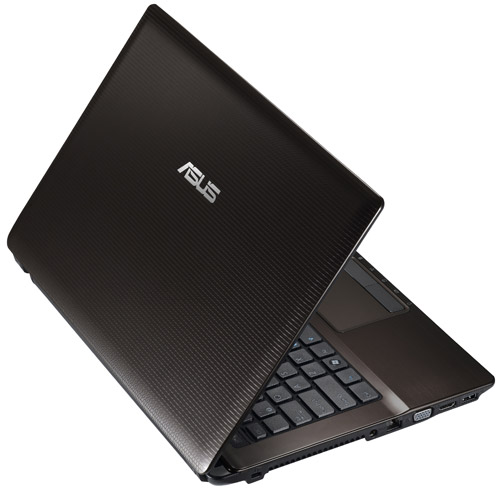
Asus A43S Review

Asus A43 Series

Asus A43SDProcessor: Intel Core i3 2310M, Intel Core i3 2350M, Intel Core i5 2410M, Intel Core i7 2630QM
Graphics Adapter: AMD Radeon HD 6730M, Intel Graphics Media Accelerator (GMA) HD Graphics, NVIDIA GeForce 610M, NVIDIA GeForce GT 520M, NVIDIA GeForce GT 540M
Display: 14.0 inch
Weight: 2.2kg, 2.4kg
Price: 500, 700, 800, 900 euro


ASUSTeK Computer Incorporated, a Taiwanese multinational company, produces motherboards, graphics cards, optical drives, PDAs, computer monitors, notebook computers, servers, networking products, mobile phones, computer cases, computer components, and computer cooling systems. The company's 2007 revenues reached US$6.9 billion. ASUS also produces components for other manufacturers. The Eee PC initiated the netbook boom in 2008.

Modern games should be playable with these graphics cards at low settings and resolutions. Casual gamers may be happy with these cards.

Lenovo Thinkpad W540 Review

Mobile workstations are the upper echelon of notebooks, combining the very latest in mobile technology with the necessary tools for professional work such as AutoCAD, advanced photo and video editing, and more. The ThinkPad W540 is Lenovo’s sole offering in this arena, going up against the HP ZBook 15, Toshiba Tecra W50, and Dell Precision M4800.
Based off the standard ThinkPad T540, the W540 has notable features that set it apart which we’ll point out in the review. We enjoyed the excellent 2880 x 1620 resolution display, great overall performance for nearly all tasks, good feeling keyboard, and satisfactory build quality, but had issues with some of the keyboard’s properties and awkward clickpad implementation. The W540 overall got enough right to get our general recommendation with some reservations.

Asus N550JV Review

on Wednesday, November 12, 2014

Design

The ASUS N550JV is a solid, handsome notebook that is cool and smooth to the touch. While the bottom is plastic, ASUS clad the rest of the design in aluminum. Its dark gray lid has a beautiful brushed finish, but is unfortunately smudge-prone, making it lose some of its sheen.
The silver aluminum deck features two speakers at the top with ripple-effect dots surrounding an Instant button on the left and the power button on the right. The Instant button can be customized to launch any app of your choice and by default launches the ASUS Console.

Thanks to its generous width, the N550JV accommodates a dedicated number pad along on its island-style, LED-backlit keyboard. A 4.5 x 2.9-inch touchpad is centered with respect to the QWERTY keyboard, and just below this is a row of indicator lights. The silver keys lend a futuristic vibe to the laptop.

Acer Aspire S3 Review

For

Decent screen, dedicated graphics means better gaming than some competitors, versatile

Against

Screen reflections, battery life just ok, keyboard keys a bit shallow, not the most thin/light
Slim, light, good-looking laptops are great. If you spend half your life rushing between places with more work to do than is strictly healthy then a decent one is exactly what you'll need. But to fit the MacBook Air-style blueprint in a Windows 8.1 form it can often feel as though you pay an awful lot of cash and don't get as much power as you might like.
The Acer Aspire S3 tries its best to set the record straight by balancing the power and price ratio. It's a slim and light 13.3-inch screen laptop that has a dedicated graphics card to augment the typically so-so games performance of the graphics chips you get with Intel's CPUs and it costs around £850. For a 1080p 13.3-inch Ultrabook that's not bad at all.
This is not the first time we've met the Acer Aspire S3. It crossed our paths a couple of years ago when we reviewed the 2012 model, but the 2014 version is a different beast. Is it one worthy of sitting high up your list of potential laptop purchases?

Design

Acer has given the S3 series a complete refresh - both inside and out. The rehashed MacBook Air style of the older model has been changed for something Acer can call its own without wearing a knowing grin. The 2014 S3's look is based on the Acer Aspire S7, the company's top-end Ultrabook.
With a lid that looks as though it's glass-topped (but, and unlike the S7, isn't), the Aspire S3 looks rather showy, and pretty keen to announce its presence. However, its build is actually a bit more ordinary than that. The Acer Aspire S3 has an aluminium frame, with a few layers of thick gloss paint on top to give the lid that glassy look and feel. It's the laptop equivalent of a painted fingernail, if you will. It does give you a bit more confidence that the lid's surface won't shatter should it get a knock.

As well as being a little less fancy than the priciest laptops out there, the Acer Aspire S3 is a mite less thin and light than the skinniest of 13.3-inch laptops. It's 17.8mm thick at the chunkiest point and weighs 1.65kg. While around 300g heavier than the 13-inch MacBook Air, it's easily light enough to carry around with you all day, without feeling as though you're dragging around a ship's anchor.

Toshiba Chromebook 2 Review

on Tuesday, November 11, 2014
Toshiba is fairly new to Chromebooks, only having launched its first Chrome OS laptop earlier this year, but the company is already gearing up to launch a second, more premium version. The Chromebook 2, announced earlier this week at IFA in Berlin, swaps the low resolution screen of the original for a 1080p panel and fanless Intel Celeron processor for silent running. We got an early look at it ahead of its UK launch next year, in order to bring you some first impressions.

Little appears to have changed from the original Chromebook in terms of design; the Chromebook 2 has the same textured white plastic lid and grey, matt metal effect body that borrows heavily from Apple's MacBook Air. Toshiba has thinned it down significantly, however, so it's both smaller and thinner than its predecessor. It only weighs 1.3Kg, so should be light enough to take on the move without having to ditch anything from your bag first.

Microsoft Surface Pro 3 Review

on Thursday, November 6, 2014
Evolution is a slow process, but after two generations of its Surface Pro tablets, Microsoft has actually ramped up its development. The Surface Pro 3 is the most radical step forward for the family yet, with a display that has swelled to near-A4 size; a magnesium alloy chassis that has emerged thinner and lighter than ever; and a smattering of subtle tweaks to the design hint at improved usability. But is it enough to back up Microsoft’s claims that this is "the tablet that can replace your laptop?

Microsoft Surface Pro 3 review: design

The Surface Pro 3 makes a great first impression – it’s exactly what we’ve come to expect from Microsoft hardware. The clean, unfussy design oozes luxury, and while we prefer the moody, all-black exterior of the Surface Pro 2, there is something rather alluring about the Surface Pro 3. Light grey metal reaches all around the back and along the tapered edges, and a slight sparkle shimmers under the matte finish. And while the the Surface Pro 3 is substantially wider and taller than what’s come before, Microsoft has used the extra surface area to spread the components more thinly and slash the overall weight – the chassis now measures a dainty 9.1mm thick and weighs 800g.

Dell Venue 11 Pro Review

on Wednesday, November 5, 2014
The Pros
Sturdy yet handsome design; Bright and colorful 1080p display; Long battery life with optional keyboard dock; Fingerprint and smart card reader
The Cons
Performance trails closest competitors; MicroSD card access requires paperclip; Heavy with keyboard dock
Verdict
The Dell Venue 11 Pro delivers an Intel Core i5 processor, versatile docking and strong security for a premium price, but it's not as fast as other hybrids in its price range.

Thanks to its long battery life and versatile docking options, the $499 version of the Dell Venue 11 Pro is one of the better Windows 8 tablet values. But what if you're looking for more oomph than an Atom processor and stronger security? The pricier, $1,080 version of the Venue 11 Pro packs a more powerful Core i5 CPU and both security software and a fingerprint reader. Add in the $139 keyboard, and you have a compact hybrid that could replace your laptop.

Design

The Venue 11 Pro looks all business, with a removable, black, soft-touch rear panel that's resistant to fingerprints. It's surrounded by a hard-plastic, matte-gray border, which holds the rear-facing 8-megapixel camera and a large security-card slot. A chrome Dell logo in the center of the back is flanked by a NFC sticker and fingerprint scanner, a major addition for this version of the device.
Around the front of the tablet you'll see the 10.8-inch display surrounded by an inch-thick black bezel. A 2MP camera sits in the top center, while a Windows Home button rests along the bottom.
The 11 x 6.96 x 0.4~0.6-inch Venue 11 Pro is just as bulky as before, weighing a hearty 1.8 pounds. It's slightly heavier than the Atom-powered Venue 11 Pro (1.6 pounds, 11 x 6.96 x 0.4~0.6-inches), and the device's weight jumps to 3.3 pounds when combined with its keyboard dock.
Compare that to the 12-inch Microsoft Surface Pro 3 (11.45 x 7.8 x 0.36 inches), which weighs 1.76 pounds by itself and 2.4 pounds with the Type Cover attached. In other words, you get a bigger screen in the Surface in a thinner and lighter design.
The Toshiba Portege Z10t (11.8 x 7.4 x 0.49 inches) weighs 1.9 pounds by itself and 3.2 pounds with its keyboard dock. Coming in at 2.38 pounds, the Apple Macbook Air 11-inch is only slightly thicker (11.8 x 7.56 x 0.11-0.68 inches) than the Dell with its keyboard dock.